Guide
Reconciling your bank
Reconciling means comparing two records of the same money: the income and expenses you have recorded, and the transactions your bank has recorded. You put the two side by side and check that they agree.
A monthly reconciliation takes 10 minutes. Afterwards you know that your records are complete. You also have a short list of items that do not agree and need your attention: a payment you forgot to record, a record entered twice, or a tenant who paid $40 less than the tenancy sets. Mistakes like these are rarely found any other way.
How it works
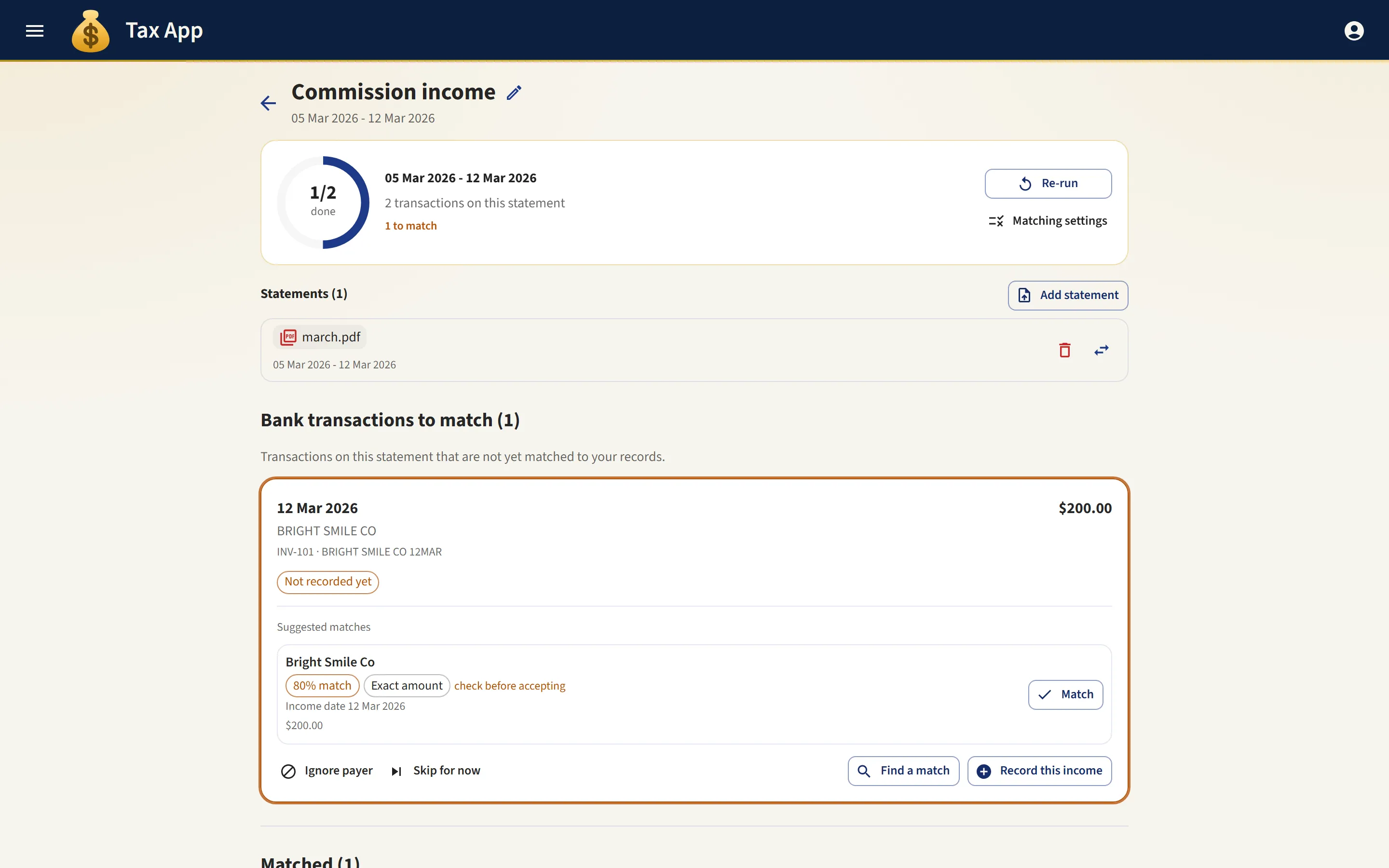
You give the app your bank transactions, either by pressing Import from bank if you have connected a bank feed, or by dragging in the CSV file that your internet banking exports. The app then reads each transaction and looks for the record you have already entered for it.
Most transactions are matched and ticked green, and need nothing more from you. The results are shown in four short lists: what matched, what could not be matched and why, what you recorded that the bank has no record of, and anything that needs a decision rather than a match.
How matching works
A match is never made on the amount alone. Two rent payments of $650 in the same month cannot be told apart by amount, and choosing between them would risk a wrong match. The name on the transaction must also agree with the contact on the record.
Names on bank statements are often shortened. "AP J LEE RENT" is Jordan Lee paying rent, but the app cannot know that at first. The first time you match such a line by hand, the app remembers the payer, and from the following month it recognises them automatically. After one cycle, your regular tenants and suppliers are matched without your help.
Expenses are matched differently, because a bill is paid when it is due, not on the date it was issued. The app looks for the payment within a few days before or after the due date on the invoice. You can widen or narrow that window in your organisation's settings.
Work that is never undone
Once a transaction is matched, it stays matched unless you undo the match yourself. Re-importing a statement, importing a longer statement that overlaps, or uploading the same file twice by mistake never undoes existing matches or skips.
Rent is never matched to a reimbursement. The two share a bank account and so appear on the same statement, but they are reconciled separately, and each reconciliation offers only records of its own kind. So a rent deposit cannot be attached to a reimbursement record by mistake. That error would be hard to spot and harder to undo.
When you finish
A completed reconciliation downloads as a PDF showing what was on the statement, what each line was matched to, and anything left over. It is a good record to send to your accountant.
Every income and expense record also carries a mark: green when it has been reconciled, and amber when it has not. So the list shows which records have been checked, without you opening any of them.
If you have connected Xero, reconciling an expense also marks the matching bill as paid in Xero, with nothing more for you to do. Reconciling is when the money is known to have left the account, so that is when Xero is updated.
Where to go next
- Bank feeds: importing transactions directly from your bank instead of downloading files.
- Xero: keeping your accountant's books up to date without entering anything twice.