Guide
How your income tax is worked out
New Zealand income tax is worked out on a person's total income. At the end of the year, Inland Revenue (IRD) adds up everything you earned (salary, self-employed commission, and rent) and applies the tax brackets to the total. Tax App follows the same rule, which is why it asks about income it does not otherwise record, such as your salary. This guide explains the calculation for every combination of income.
One stack, filled from the bottom
The tax brackets work in steps. The first part of your yearly income is taxed at the lowest rate, the next part at a higher rate, and so on. Only the income within each bracket is taxed at that bracket's rate. So the tax on any amount depends on where it sits in your total income. An income of $10,000 on its own is taxed at the lowest rates. The same $10,000 earned on top of a salary is taxed at the rate the salary has already reached.
So Tax App treats your income for the year as one stack, filled in a fixed order:
- Your PAYE salary, if you have one. Your employer has already deducted its tax, so the app never shows tax on it, but it sits at the bottom of the stack and pushes all other income into higher brackets.
- Commission or contracting income stacks on top of the salary. The tax shown is the tax on salary and commission together, minus the tax on the salary alone. That is the extra tax the commission causes.
- Rental income stacks on top of both. Again, only the extra tax it causes is shown.
Because each figure is the difference between two points on the same tax scale, the parts always add up to the year's total tax, to the cent.
Every combination
| Your income | How it is taxed |
|---|---|
| Commission only | Taxed from the lowest bracket up, as the IRD calculator shows it. |
| Rental only | Also taxed from the lowest bracket up. With no other income below it, the rent fills the lowest brackets first. |
| Salary + rental | Rental income is taxed on top of the salary, at the rates the salary has already reached. The salary itself shows no tax, because your employer deducts that tax through PAYE. |
| Commission + rental | Commission is taxed from the lowest bracket up. Rental income is taxed on top of the commission. |
| Salary + commission | Commission is taxed on top of the salary. |
| Salary + commission + rental | The full stack: commission on top of the salary, and rental income on top of both. The salary counts in every case, including when there is also commission. |
A worked example
Suppose you earn a salary of $80,000, $30,000 of commission (not counting GST), and $10,000 of rent. Under the current brackets, the tax on $80,000 alone is $16,277.50. It is paid through PAYE, so the app shows no tax for it. The tax on $110,000 is $26,177.50, so the commission's share is the difference: $9,900. The tax on $120,000 is $29,477.50, so the rental income's share is $3,300. Every extra dollar falls in the 33% bracket, because the salary has already used the lower brackets.
If the salary is never entered, the same $30,000 of commission is taxed from the lowest bracket up, which comes to $4,158 before credits. That is less than half the correct figure. This is why the app asks for your salary. You enter it once, under Settings, then PAYE salary, against the person who earns it. An organisation can have several earners, each with their own salary.
The same rule, record by record
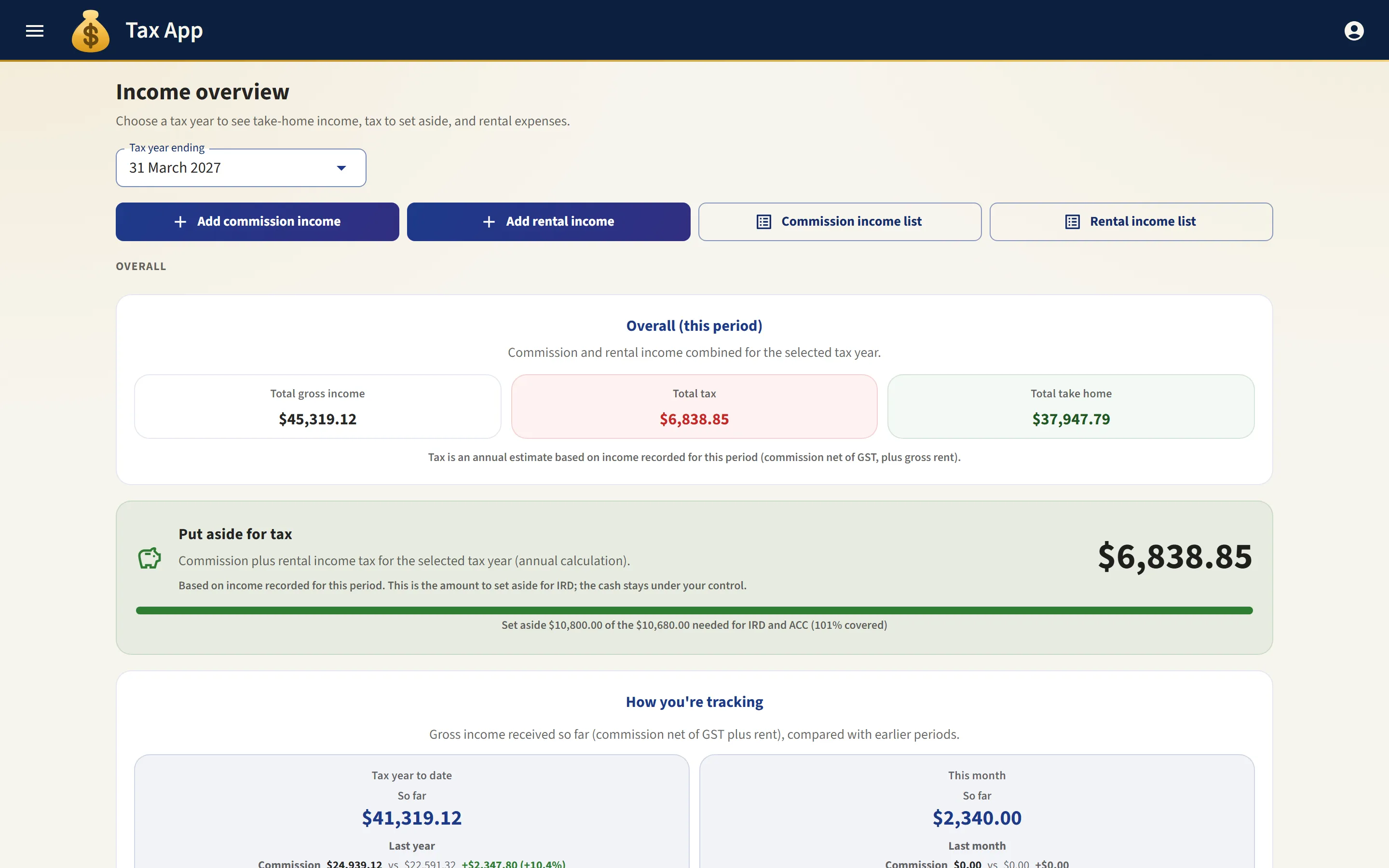
Tax App applies the same rule throughout the year. Each income record in your list carries its own tax figure. That figure is the extra tax the record causes on top of everything earned before it in the same year. So two identical rent payments can show different tax, because the fortieth payment of the year sits higher in the stack than the first. The figures always add up to the year's total, which the dashboard shows as the amount to set aside.
ACC levy and the independent earner tax credit
ACC sends an invoice for the ACC levy once a year, on self-employed earnings such as commission. Rent is never levied. The invoice is made up of the work levy for your classification unit (minus the No Claims Discount, in years when ACC offered one), the earners' levy, and the Working Safer levy, plus GST. These are charged on earnings up to a yearly maximum. Tax App works out the levy the same way, from the classification unit and work levy you enter under Settings, then ACC levy. If you have not entered them, it leaves out the work levy. The app levies your recorded commission before business expenses. ACC uses the earnings in your tax return instead. So below the maximum, the app's figure is slightly higher than the invoice. A salary does not lower the maximum. ACC levies self-employed earnings up to the maximum and refunds any overpayment separately. A salary does lower the minimum that a full-time earner is charged on.
The independent earner tax credit is applied once, to your total income, not to each source of income. If extra rental income takes your total past the credit's upper limit, the credit you lose is counted as part of the tax on that rent.
What the figures are, and are not
Every rate involved (the brackets, the levies, and the credit) is recorded with the date it took effect, so past years keep the rates that applied at the time. You can check the income tax against the IRD calculator and the ACC levy against your ACC invoice. The result is an estimate to set money aside against. It is not a tax return and it is not advice. The income tax figure does not allow for student loan repayments, losses carried forward, or anything outside the organisation. KiwiSaver is worked out on commission records for contractors who contribute, but it does not change the income tax figure. You, your accountant, or myIR settle the final figures.
Where to go next
- Reconciling your bank: checking that the records the tax is calculated from are correct.
- Xero: keeping your accountant's books up to date without entering anything twice.